
 AI Tips & Tricks
  News & Updates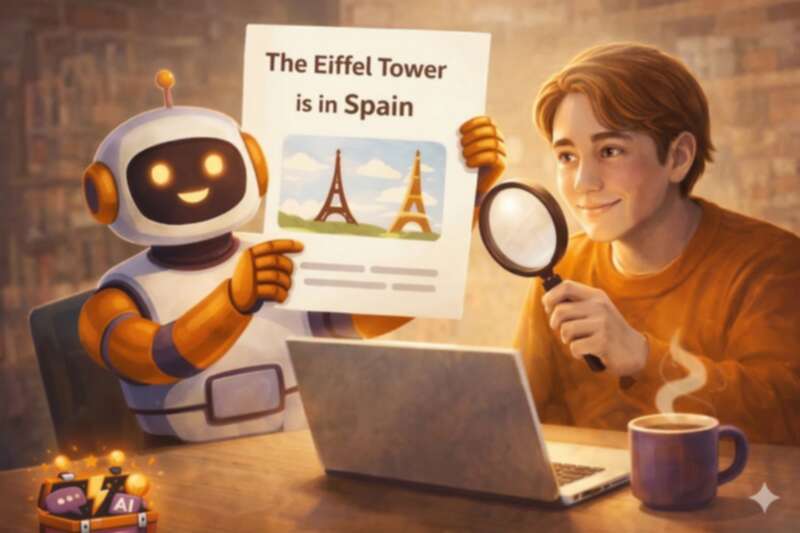
If you’ve used ChatGPT, Claude, Gemini, or any other AI chatbot, you’ve probably been impressed by how confident and polished the answers sound. The writing is clear, the tone is helpful, and everything reads as though it must be correct.
But here’s the thing: AI doesn’t always tell the truth. Not because it’s trying to deceive you, but because of the way it works under the bonnet. Sometimes it presents completely made-up information as though it were solid fact. This is what people in the tech world call an AI hallucination, and it’s one of the most important things to understand before you start relying on these tools in everyday life.
So What Exactly Is a Hallucination?
An AI hallucination is when the tool generates something that sounds convincing but is partly or entirely wrong. It might invent a statistic, reference a book that doesn’t exist, describe an event that never happened, or give you a confident answer to a question it doesn’t actually know the answer to.
The tricky part is that it doesn’t come with a warning. There’s no flashing red light or disclaimer saying “I’m not sure about this one.” The wrong answer looks exactly the same as the right one — well written, neatly structured, and delivered with absolute confidence.
Here are a few real-world examples of the kind of mistakes AI can make:
Inventing sources. You ask the AI to recommend a book on a particular topic and it gives you a title, author, and even a short summary — but the book doesn’t exist. It’s stitched together plausible-sounding details from patterns in its training data.
Getting facts wrong. You ask when a local landmark was built and the AI gives you a date that’s twenty years off. The answer sounds authoritative, but it’s simply incorrect.
Making up people. You ask for a quote from a well-known figure and the AI gives you something they never actually said. It sounds like the kind of thing they might say, which makes it even harder to spot.
Why Does This Happen?
To understand hallucinations, it helps to know a little about how AI tools actually work — and the explanation is simpler than you might think.
AI chatbots don’t look things up the way you would on Google. They don’t have a filing cabinet of facts that they search through. Instead, they’ve been trained on enormous amounts of text — books, articles, websites — and they’ve learned patterns in language. When you ask a question, the AI is essentially predicting what the most likely next word should be, over and over, until it’s built a complete answer.
This means AI is very good at producing text that sounds right. But sounding right and being right are not the same thing. The AI has no real understanding of truth. It doesn’t know whether the fact it just produced is accurate or whether it’s accidentally combined details from different sources into something new and wrong.
Think of it like a very well-read parrot. It’s absorbed millions of conversations and can repeat patterns brilliantly, but it doesn’t truly understand what it’s saying. Most of the time the patterns are spot on, but every now and then, the parrot confidently says something nonsensical.
When Should You Be Most Careful?
Hallucinations can happen with any topic, but they’re more common in certain situations. It’s worth being extra cautious when:
You’re asking for very specific facts. Dates, statistics, phone numbers, addresses, and prices are all areas where AI can trip up. The more precise the detail, the higher the risk.
The topic is niche or specialist. If you’re asking about something obscure — a rare medical condition, a small local business, or a historical event that isn’t widely documented — the AI has less reliable data to draw from and is more likely to fill in the gaps with guesswork.
You’re asking about real people. AI can mix up details about people who share names, or attribute achievements, quotes, or roles to the wrong person entirely.
You need legal, medical, or financial information. These areas change frequently and carry real consequences if the information is wrong. AI should never be your only source for anything that could affect your health, finances, or legal rights.

How to Protect Yourself (Five Simple Habits)
1. Treat AI as a starting point, not the final word
The best way to think of AI is as a helpful first draft. It’s brilliant for getting ideas flowing, structuring your thoughts, or saving time on a task — but you should always check the important bits yourself. If an AI tells you something you plan to act on, spend a minute verifying it with a quick web search or a trusted source.
2. Ask the AI to show its working
You can actually ask the AI to explain where its information comes from. Try adding something like this to your prompt:
Please explain your reasoning and let me know
if you’re uncertain about any of the details.
This won’t guarantee accuracy, but it encourages the AI to flag areas of doubt rather than ploughing ahead with a confident guess.
3. Watch for the “too smooth” feeling
If an AI answer reads as though it came from an encyclopaedia — perfectly polished, no hesitation, every detail neatly wrapped up — that’s actually a reason to pause, not a reason to trust it more. Real-world information is often messy and nuanced. An answer that sounds too good might be papering over gaps with invented detail.
4. Cross-check anything important
This is the golden rule. If you’re going to use a fact from AI in an email, a report, a social media post, or a conversation that matters, take thirty seconds to check it. Google the claim. Look it up on a reputable website. Ask someone who would know. It’s a small habit that saves big embarrassments.
5. Use prompts that reduce hallucinations
The way you write your prompt can actually help. Being specific and clear gives the AI less room to improvise. Compare these two approaches:
Instead of: Tell me about the history of my town.
Try: Give me a brief overview of the history of
Harrogate, North Yorkshire. Only include facts
you are confident about, and tell me if you’re
unsure about anything.
The second prompt is more specific, names a real place, and gives the AI permission to say “I’m not sure.” That last part is surprisingly effective — it changes the AI’s behaviour and often produces more honest results.
Should You Still Use AI?
Absolutely. Hallucinations are a real issue, but they don’t make AI useless — far from it. AI tools are genuinely brilliant for drafting emails, brainstorming ideas, explaining complicated topics in simple language, planning events, and dozens of other everyday tasks. The key is to use them with your eyes open.
Think of AI the way you might think of a very enthusiastic colleague who’s new to the job. They’re keen, they’re fast, they’re often right — but you wouldn’t hand over the final report without reading it through yourself. The same common sense applies here.
The One-Minute Rule
If you take one thing away from this article, let it be this: before you copy, send, or act on anything an AI has told you, spend one minute checking the key facts. That’s it. One minute of common sense is all it takes to get all the benefits of AI without the risk of being caught out by a hallucination.
And if you’d like ready-made prompts that are already written to be clear, specific, and designed to get better results from AI, have a browse of The Prompt Toolbox. Every prompt in the library is built with these principles in mind — so you can spend less time worrying about what might go wrong and more time getting things done.
AI is a powerful tool. You just need to be the smart one holding it.



Comments
Leave a comment